

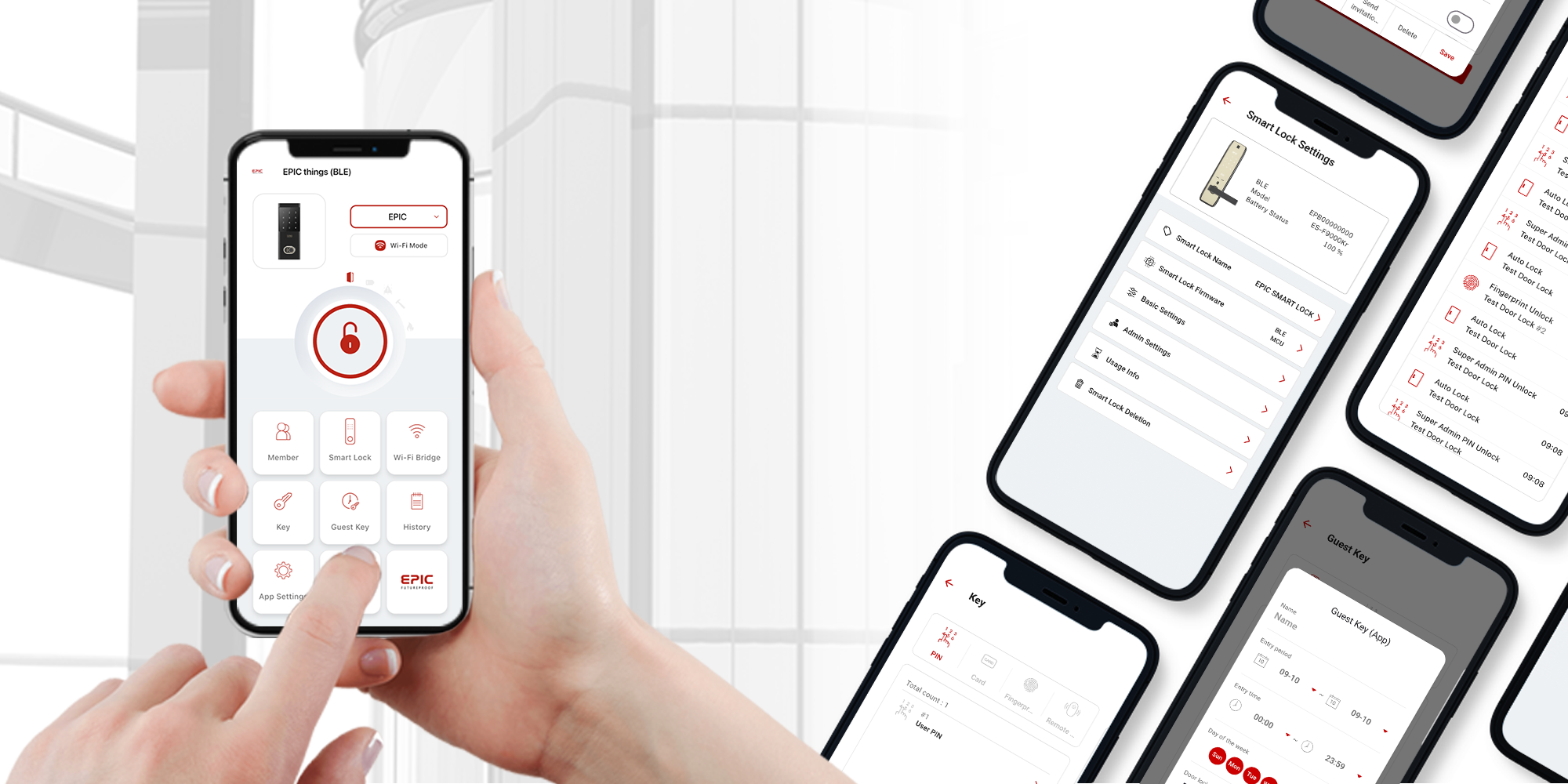
Control your EPIC digital door lock anytime, anywhere.
Download the app and unlock a smarter way to manage your home security.
Everything You Can Do with EPIC Things
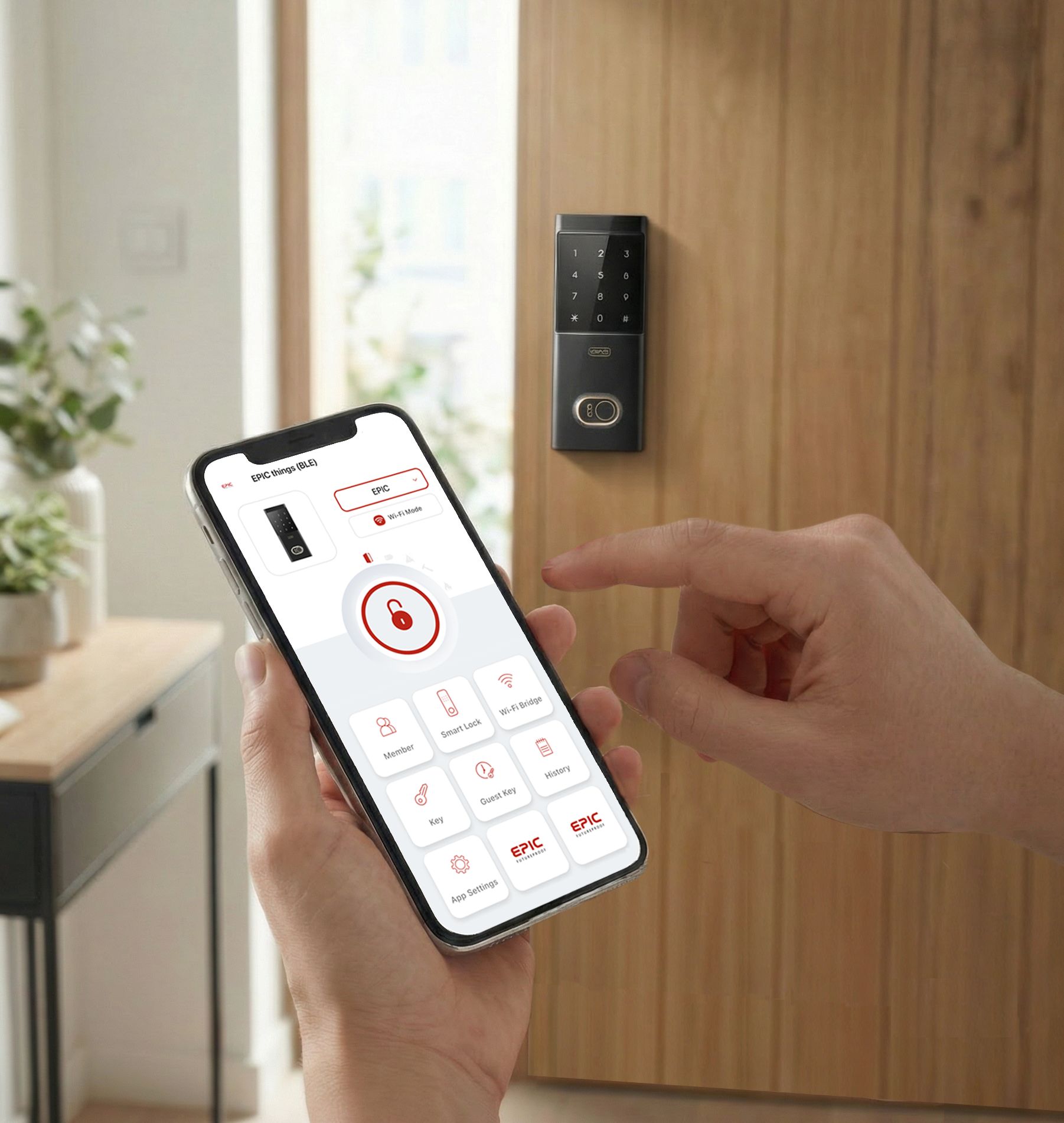
Access Anytime, Anywhere
Lock and unlock your door anytime, anywhere with just one tap in the app.
Perfect for letting in guests or family members when you're not home.
The app supports 7 languages: English, Korean, Spanish, Japanese, Thai, Vietnamese, and Chinese.
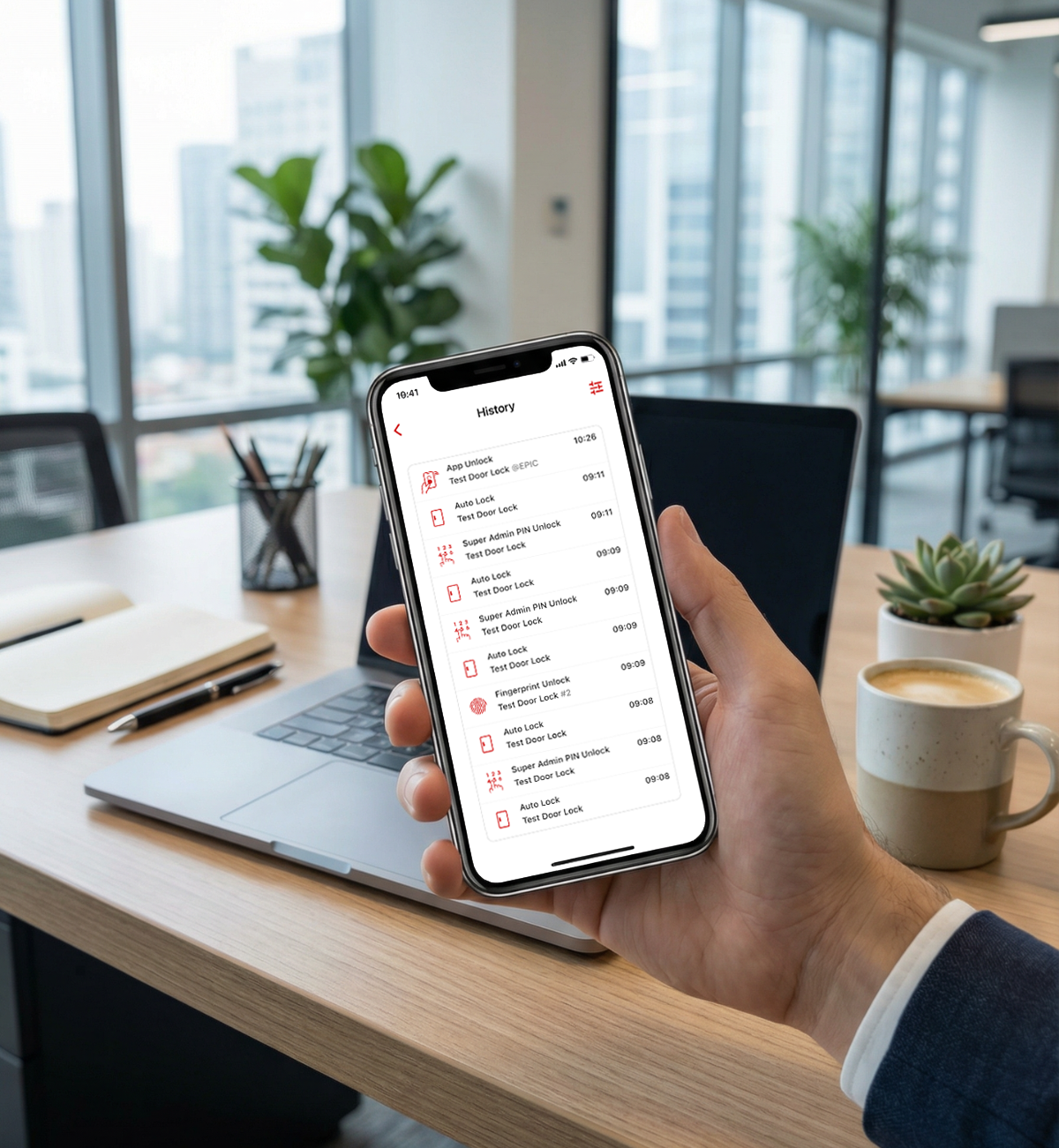
Log Data & Push Notifications
Stay informed with detailed access logs showing who enters and exits your home.
Monitor the lock’s status in real time, including intrusion alerts, high temperature warnings, and low battery notifications.
Receive instant push notifications so no important moment is missed.
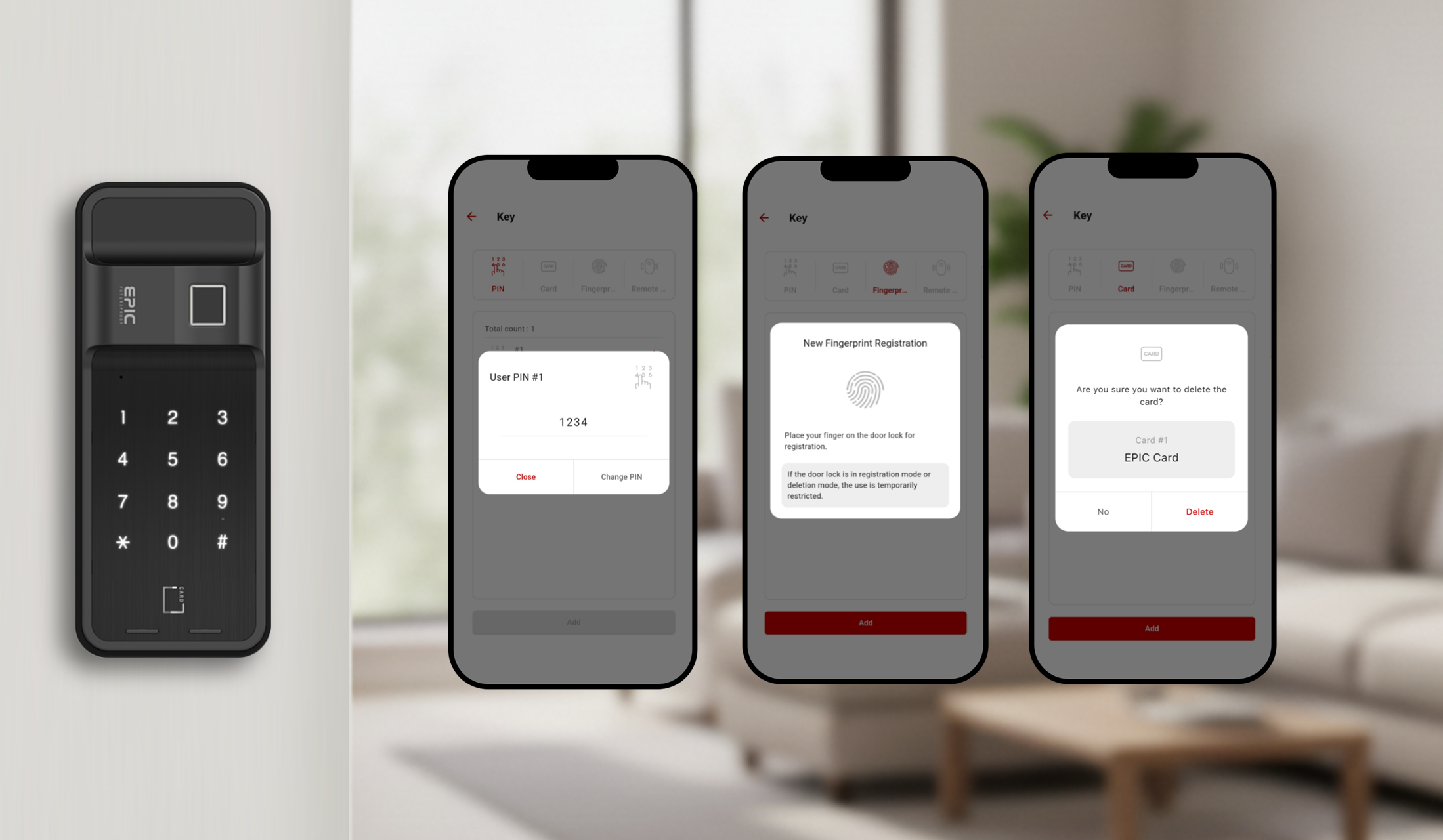
Key Management
Manage PIN codes and add various authentication methods through the Key menu.
The app simplifies access to registration and deletion functions, reducing the need for complex manual steps on the lock.
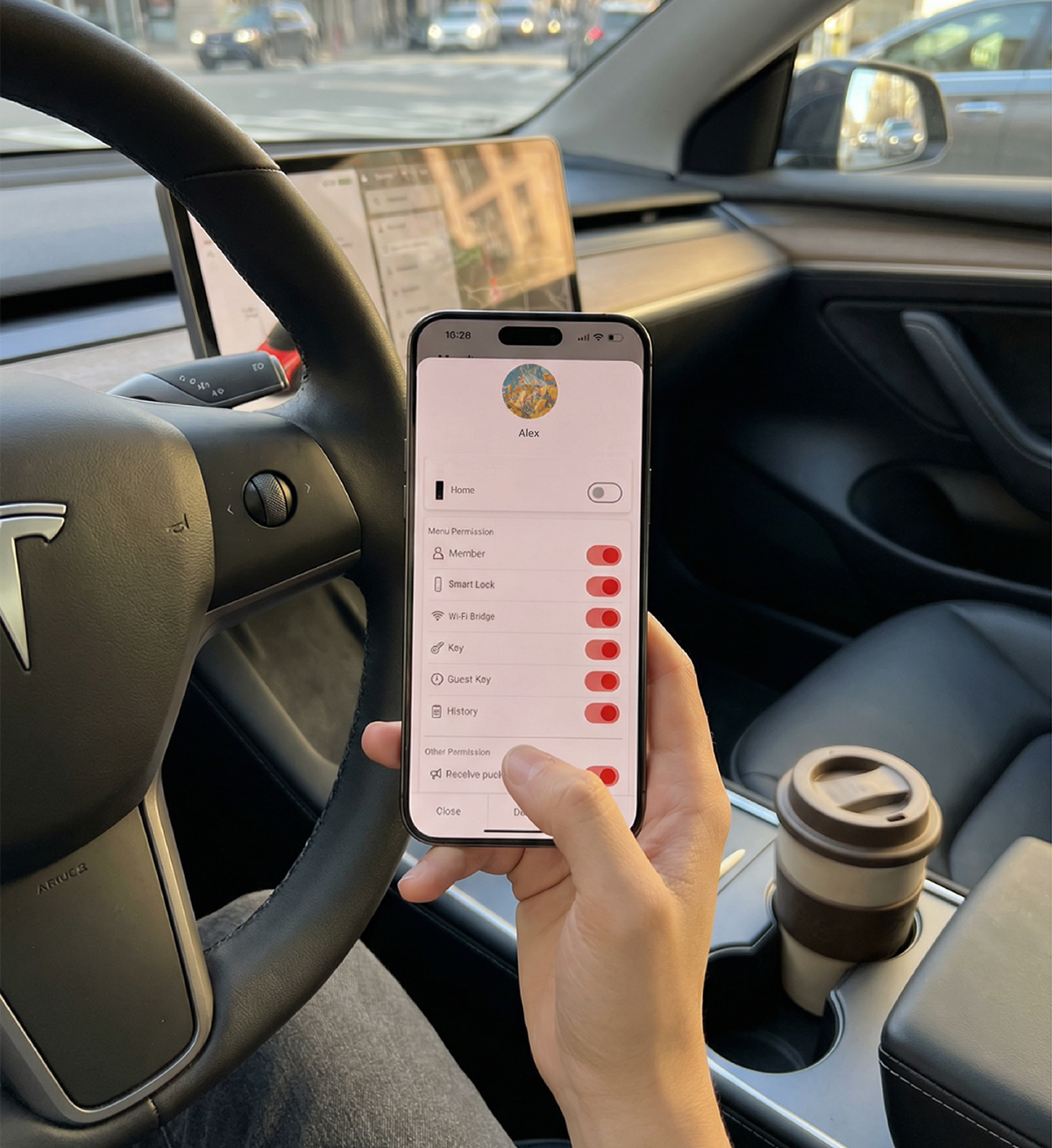
Member Invitation
Invite family members or users and assign individual access permissions.
Manage all members easily and securely through the app
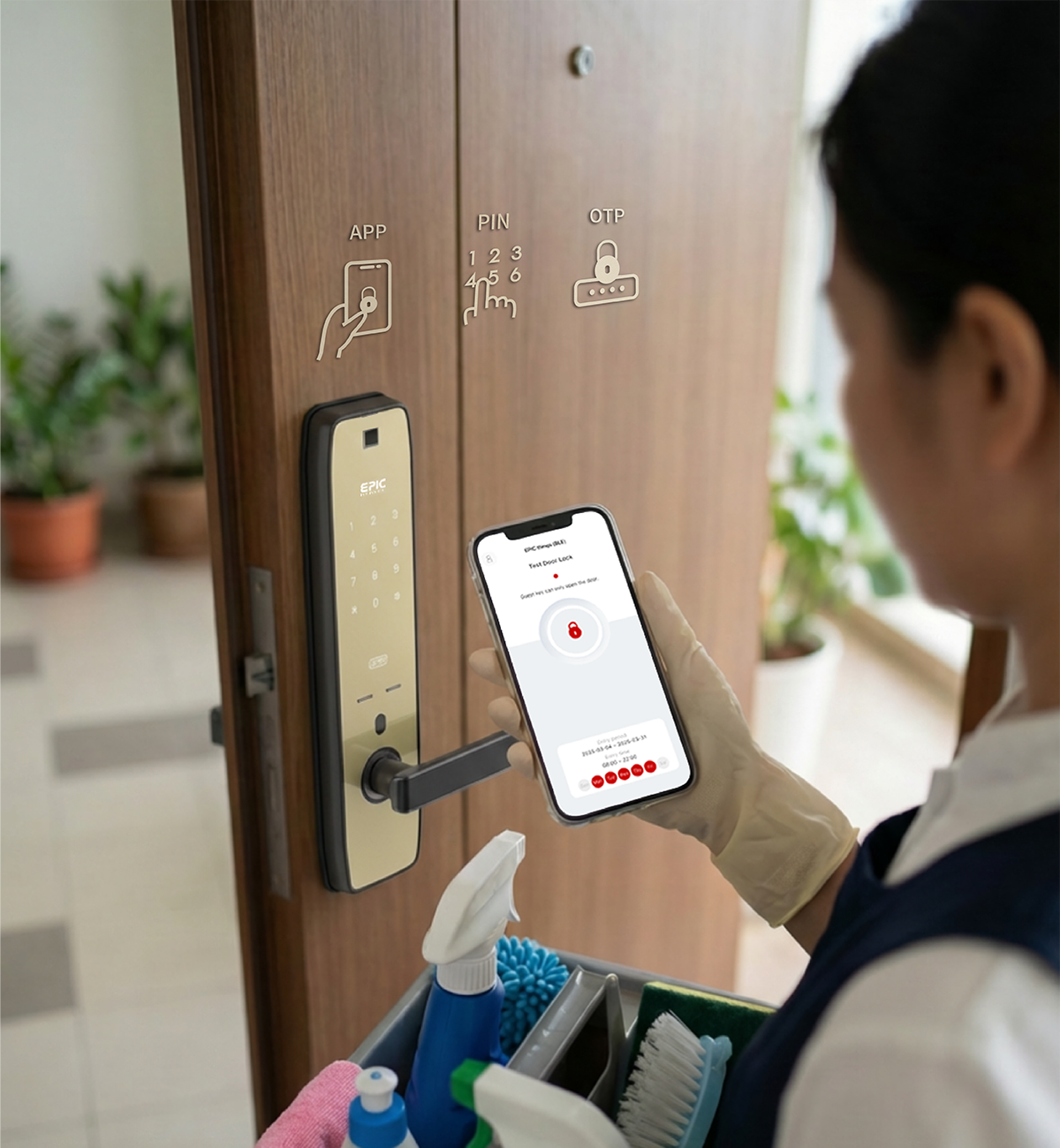
Guest Key — APP / PIN / OTP
Create temporary access keys with full control over validity.
Validity settings such as specific dates, days of the week, and time periods can be configured depending on the access type.
Ideal for offices, hotels, and other temporary access needs, Guest Keys provide secure access without sharing permanent credentials.
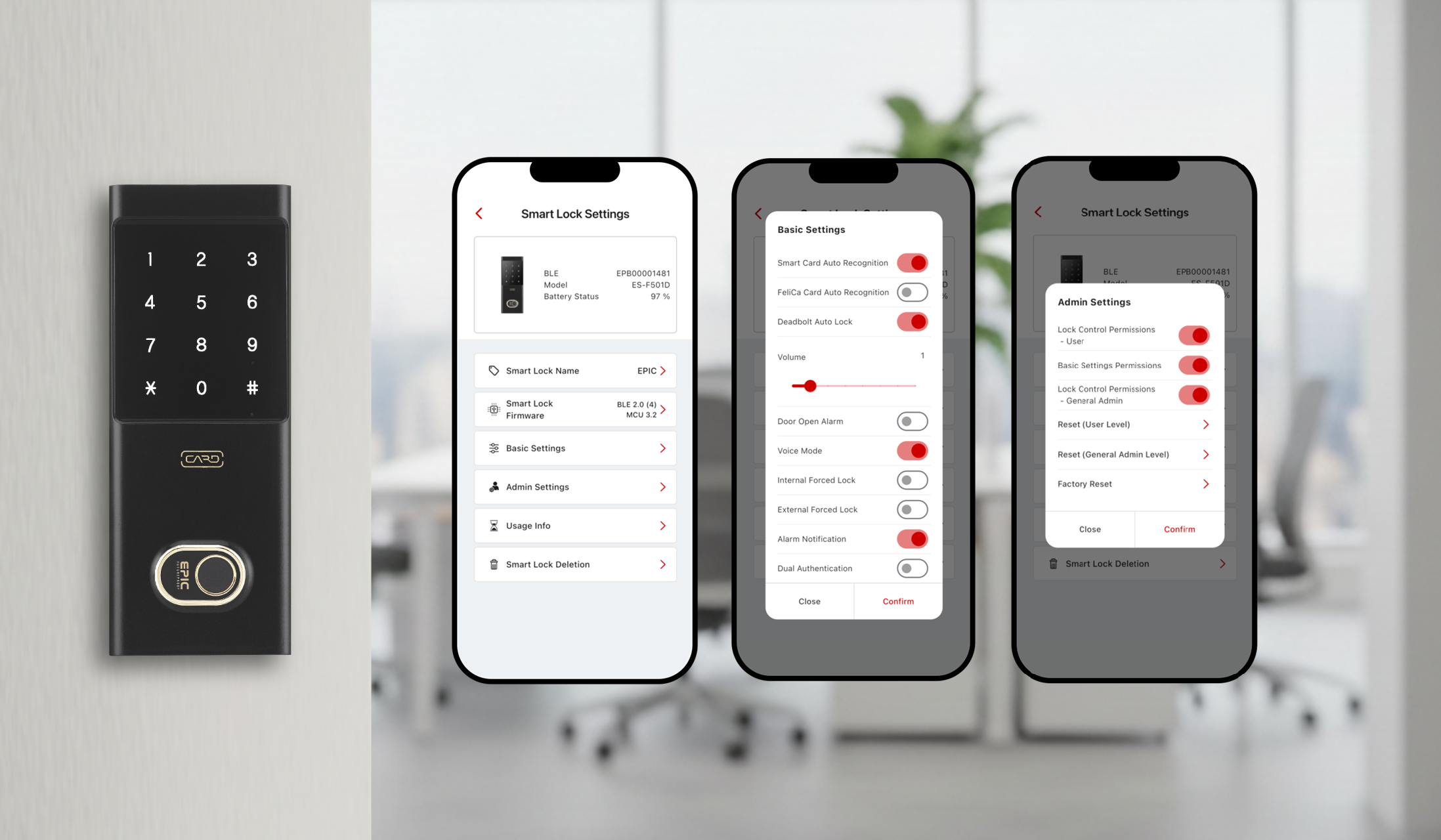
Smart Lock Settings
Easily enable or disable security features through the app.
From firmware updates to admin access control and reset functions, all settings and lock-related information are managed in one place.
EPIC Things App User Guide
App Manual
A complete guide covering app setup, remote control, user management, notification settings, and all features of the EPIC Things app.
Visit Our YouTube Playlist
Getting Started with EPIC Things BLE
Watch the complete EPIC Things BLE App Guide — 15 videos covering everything from initial setup to advanced features.
Watch on YouTube →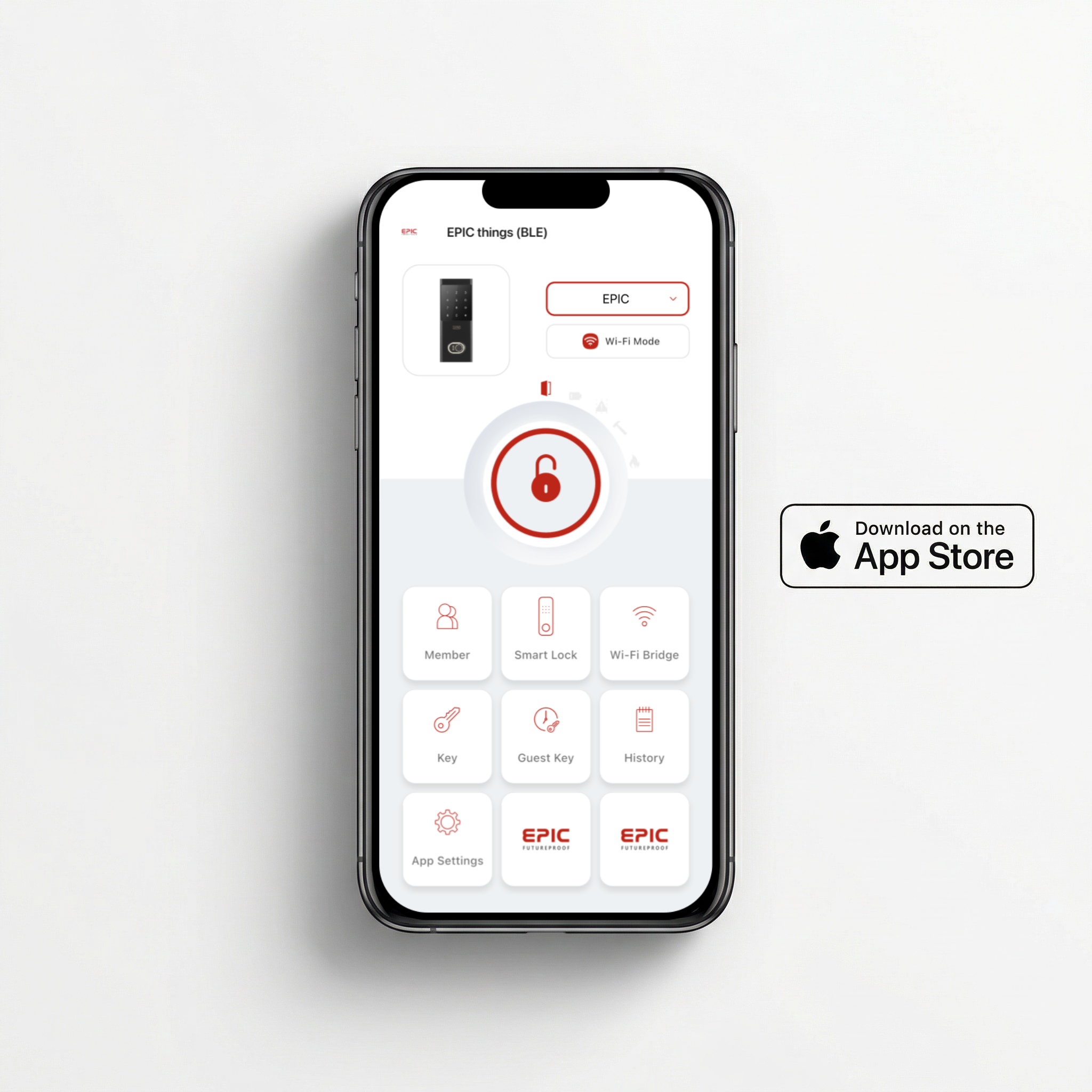

Available on the App Store
Download for iPhone
Requires iOS or later. Compatible with iPhone and iPad.
Download on App Store →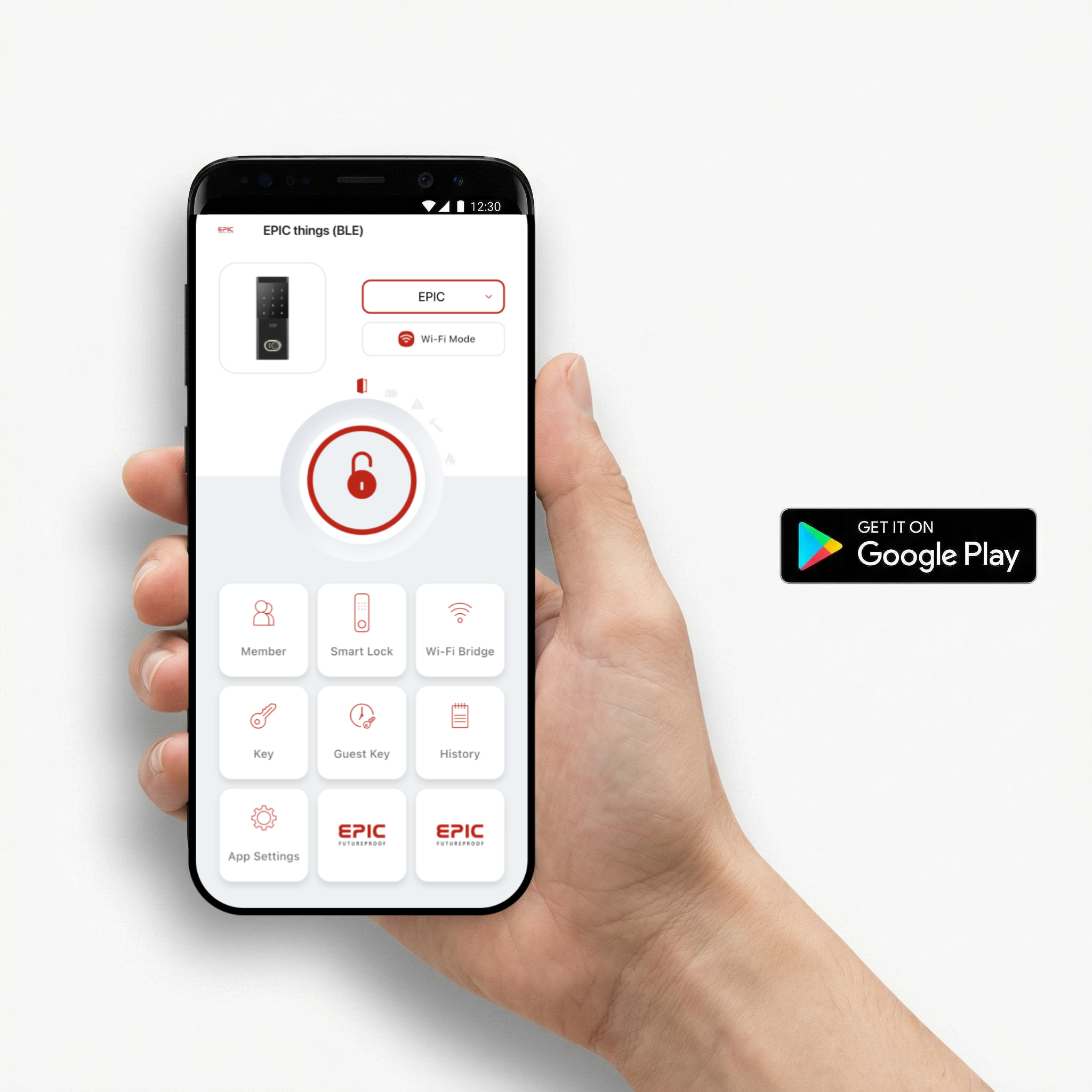

Available on Google Play
Download for Android
Requires Android or higher. Compatible with most Android smartphones.
Get it on Google Play →Stay up to date with the newest features and improvements.
Latest App Update
App Version: 2.0.3 (202) · Minor bug fixes.
App Version: 2.0.2(201)
1. Minor bug fixes.
——————————————————————
App Version: 2.0.1(199)
1. [Home]
① Improved dialog design for connecting to the Smart Lock.
2. [Home > History]
① Minor bug fixes.
——————————————————————
App Version: 2.0.0(192)
1. [Home > Smart Lock]
① Now, only the Smart Lock selected from the Home menu can be accessed.
2. [Home > Smart Lock > Smart Lock Settings]
① Overall UI has been updated.
② A new Basic Settings menu has been added.
③ A new Admin Settings menu has been added.
④ A new Usage Info menu has been added.
✓ The Basic Settings, Admin Settings, and Usage Info functions are available only when the Smart Lock is successfully connected with the App.
3. [Home > History]
① Unlock history display has been improved. Unlock levels are now clearly indicated (User, General Admin, Super Admin).
4. [Home > App Settings]
① App Lock: When enabled (ON), an App Lock Password must be registered. When disabled (OFF), the App Lock Password will be deleted.
② Language: Expressions for 7 supported languages have been improved.
——————————————————————
App Version: 1.0.45(150)
1. [Home > Member]
① An error related to smart lock sorting has been fixed.
——————————————————————
App Version: 1.0.44(148)
1. [Home > Guest Key]
① A bug where an incorrect message was displayed regarding the [Valid Authentication Period] has been fixed.
2. [Home > History]
① The timing of event application has been improved.
② The history display method has been improved (loaded in batches of 100 entries from the server).
③ A bug where entering the history menu after Rental Mode Off temporarily switched it back to Rental Mode On has been fixed.
——————————————————————
App Version: 1.0.43(144)
1. [Home]
① The UI displayed when selecting a smart lock has been improved (changed from left-right sliding selection to up-down sliding selection).
② The sorting method for owned smart locks has been improved.
2. [Home > Member > Smart lock permission]
① The sorting method for owned smart locks has been improved.
3. [Home > Smart Lock]
① When the Bootloader version is [1], Firmware updates will not be allowed in Wifi Mode.
② The sorting method for owned smart locks has been improved.
4. [Home > Wifi Bridge > Connected smart lock]
① The sorting method for owned smart locks has been improved.
——————————————————————
App Version: 1.0.42(140)
1. [Home > Guest Key > OTP]
① The history of OTPs checked by the user within the last 24 hours will now be displayed.
2. [Home > History]
① The issue where history was not uploaded for some smart locks has been fixed.
——————————————————————
App Version: 1.0.39(134)
1. [Home > Smart Lock]
① The issue where firmware updates are suspended on IOS smartphones under certain conditions has been improved.
——————————————————————
App Version: 1.0.38(133)
1. [Home > Smart Lock]
① The “Smart Lock Firmware Update Function” will be temporarily suspended in Wifi Mode.
→ The temporary suspension will be lifted, and the "Smart Lock Firmware Update Function" through the Wifi Bridge will be available.
② The issue of being unable to update the smart lock firmware on some Android smartphones has been improved (within the detectable range).
——————————————————————
App Version: 1.0.34(127)
1. [Home > Member]
① The display method of the “Member List” will be changed.
• Member: Only “members who have the authority of the currently selected smart lock” will appear in the member list.
② The modification authority for “Smart Lock Permissions” will be changed.
• The modification permission for “Smart Lock Permissions” is limited to “Administrator” only.
2. [Home > Smart Lock]
① The “Smart Lock Firmware Update Function” will be temporarily suspended in Wifi Mode.
② The modification permission for “Smart Lock Name” is limited to “Administrator” only.
③ The update method for firmware (Bootloader, BLE, MCU) will be changed.
3. [Home > History]
① The history of only the currently selected smart lock will be displayed.
4. [Home > App Settings]
① The detailed page of the App Version will be deleted.
② When changing the password, a “Confirm New Password” menu will be added.
App FAQ
Where can I download the EPIC Things (BLE) app?
You can currently download and use the EPIC Things (BLE) app for free from the App Store (iOS) and Google Play Store (Android).
※ Certain features and terms of use may be subject to change in the future to provide better service.
What features become available if I purchase an additional Wi-Fi Bridge?
By adding a Wi-Fi Bridge, you can use Wi-Fi mode to remotely control your door lock, allowing you to lock or unlock it from anywhere without distance limitations.
Additionally, you can receive real-time push notifications while away and utilize the Guest PIN feature.
Can I manage multiple door locks from a single app?
Currently, you can register and manage multiple door locks within a single app without any specific limitations.
※ Certain features and terms of use may be subject to change in the future to provide better service.
Can I add and register additional family members or users?
You can invite family members or other users through the "Member" menu in the app.
You can also customize menu access and functional permissions for each member.
Is it possible to issue temporary keys for guests or visitors?
You can issue guest keys for visitors to use for a specific period through the "Guest Key" menu in the app.
Guest keys grant temporary access and come in three types—App, PIN, and OTP—allowing you to choose the most suitable option for your situation.
※ Up to 10 PIN Guest Keys can be issued, and a Wi-Fi Bridge is required to use this specific feature.
What does the red number displayed next to the door lock or Wi-Fi Bridge icon mean?
The red number next to the door lock or Wi-Fi Bridge icon indicates that a firmware update is available.
Door Lock Firmware Update: Select the specific lock in the Smart Lock menu, then tap "Smart Lock Firmware" to proceed with the update.
Wi-Fi Bridge Firmware Update: Select the specific bridge in the Wi-Fi Bridge menu, then tap "Wi-Fi Bridge Firmware" to proceed with the update.
Having trouble setting up or using the EPIC Things app? We're here to help.